- Kenmore refrigerator water filters
- Whirlpool refrigerator water filters
- Samsung refrigerator water filters
- GE refrigerator water filters
- LG refrigerator water filters
- Frigidaire refrigerator water filters
- KitchenAid refrigerator water filters
- Maytag refrigerator water filters
- Kenmore Elite refrigerator water filters
- Estate refrigerator water filters
- GE Profile refrigerator water filters
- Amana refrigerator water filters
- Bosch refrigerator water filters
- Dacor refrigerator water filters
- Electrolux refrigerator water filters
Top DIY repair help
View All Repair Categories
Appliances
Lawn & Garden
Power Tools
Home Improvement
Sports & Leisure
Heating & Cooling
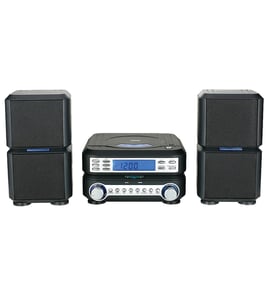
HH Scott Compact stereo system Parts — Browse All Models
HH Scott makes compact stereo systems that can fit in just about any space while providing the quality sound to fill an entire room. HH Scott compact stereo systems are known for reliability but parts can wear out or break at any time. When you need replacement parts for your HH Scott compact stereo system, you can trust Sears PartsDirect to have the parts you need in stock.


Popular maintenance items for Compact Stereo Systems

Owner's Manual
Part #313911619240
This item is not returnable
In Stock
$8.07

Qty

Clip
Part #4H40110815
Replaced by #46-721492-3
Manufacturer substitution
This part replaces 4H40110815. Substitute parts can look different from the original.
This item is not returnable
In Stock
$2.49
Qty
Lxi Plate
Part #1015090747
This item is not returnable
In Stock
$2.58
Qty
Magnavox Knob
Part #482241351457
This item is not returnable
In Stock
$9.48
Qty
Lever
Part #46-722356-3
This item is not returnable
In Stock
$8.49
Qty
Red Damper
Part #499216601
This item is not returnable
In Stock
$3.23
Qty
Cleaning tips for compact discs used in your HH Scott compact stereo system
- Proper cleaning of compact discs ensures that the CD player in your compact stereo system can read and play the disc properly.
- Before inserting a compact disc in the CD player, wipe the disc with a soft, lint-free cleaning cloth. Wipe the media side of the disc from the center of the disc to the outer edge.
- Clean compact discs regularly to enjoy accurate and trouble-free playback in your CD player.
- Inspect the compact disc before inserting it in your CD player for playback. Clean the compact disc if you see fingerprints, debris or deposits on the media surface of the disc.
- Use CD cleaning detergent, isopropyl alcohol or methanol to clean stubborn dirt or deposits from discs. Don't use solvents such as benzene, thinner or other harsh cleaners to clean compact discs. Don't use anti-static spray intended for vinyl LP records on compact discs.
Troubleshooting your HH Scott compact stereo system when the speakers won't play
- Check the output settings of your compact stereo system first. Make sure that you have the correct speaker output selected. Adjust the audio output settings if necessary.
- Check to see if you have the headphones plugged into the headphone jack. Unplug the headphones to play the speakers if you find the headphones plugged into the headphone jack.
- Check the speaker wire connections. Make sure that speaker wires are plugged fully into the speaker jacks on the back of the compact stereo system. Make sure that the speaker wires are securely connected to the speakers. Reconnect any loose wiring connection.
- Check speaker wires for damage. Repair or replace any damaged speaker wire.
Parts & More
Bottom-Mount Refrigerator
Dishwasher
Electric Range
Front-Engine Lawn Tractor
Gas Walk-Behind Mower
Parts
Range Hood
Scroll Saw