- Kenmore refrigerator water filters
- Whirlpool refrigerator water filters
- Samsung refrigerator water filters
- GE refrigerator water filters
- LG refrigerator water filters
- Frigidaire refrigerator water filters
- KitchenAid refrigerator water filters
- Maytag refrigerator water filters
- Kenmore Elite refrigerator water filters
- Estate refrigerator water filters
- GE Profile refrigerator water filters
- Amana refrigerator water filters
- Bosch refrigerator water filters
- Dacor refrigerator water filters
- Electrolux refrigerator water filters
Top DIY repair help
View All Repair Categories
Appliances
Lawn & Garden
Power Tools
Home Improvement
Sports & Leisure
Heating & Cooling
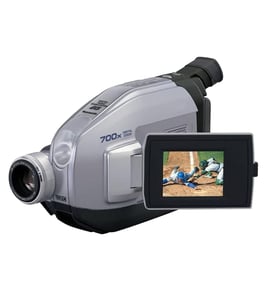
Toshiba Compact vhs-c camcorder Parts — Browse All Models
Toshiba compact VHS camcorders set the industry standard for recording video clearly and accurately. Video recording components inside Toshiba compact VHS camcorders capture and store images and action that you can keep and share forever. When your Toshiba VHS camcorder breaks, find the repair parts you need to fix the camcorder at Sears PartsDirect.

Frequently bought Toshiba parts

Magnavox Control
In Stock
$15.36

Qty

Toshiba Picture Tube
In Stock
$118.00
Qty
Toshiba Txstr Npn
In Stock
$25.43
Qty
Toshiba Cathode Ray Tube
In Stock
$148.80
Qty
Montgomery Ward Transistor
In Stock
$11.00
Qty
Cathode Ray Tube
In Stock
$911.63
Qty
Popular maintenance items for Compact VHS-C Camcorders
Ic
Part #TA75S393F
This item is not returnable
In Stock
$3.52
Qty
2.4 Resistor
Part #121666011
This item is not returnable
In Stock
$2.57
Qty
Resistor
Part #121667111
This item is not returnable
In Stock
$2.16
Qty
Resistor
Part #121888311
This item is not returnable
In Stock
$2.16
Qty
Ic Tc7s86f
Part #875909802
This item is not returnable
In Stock
$7.59
Qty
Control Cam
Part #483552837014
This item is not returnable
In Stock
$4.26
Qty
Cleaning the eyepiece on your Toshiba compact VHS camcorder
- Turn the compact VHS camcorder power off and unplug the power cord. Pull the battery pack off the camcorder.
- Turn the eyepiece 1/8 of a turn counterclockwise to release it from the camcorder body and pull the eyepiece free from the camcorder. Set the eyepiece on a padded surface.
- Remove any lint or dust particles from the eyepiece lens using a soft, clean, lint-free cloth. Be careful not to scratch the eyepiece lens surface while cleaning.
- Clean the body of the eyepiece using a soft cloth moistened with mild detergent and water. Rinse off detergent residue from the eyepiece body using a damp cloth moistened with plain water. Dry the eyepiece body thoroughly with a dry, soft cloth.
- Position the eyepiece on the camcorder body and line up the marks on the eyepiece body with the grooves in the eyepiece receptacle on the camcorder body. Attach the eyepiece to the camcorder and rotate the eyepiece 1/8 turn clockwise to lock the eyepiece in place.
Safety precautions for your Toshiba compact VHS camcorder
- Your camcorder shouldn't be exposed to rain or moisture. Don't plug in the power adapter to a wall outlet or operate your camcorder if it's wet. The camcorder is designed for outdoor use but it isn't designed for sustaining direct exposure to water, rain or spills.
- Unplug your camcorder before cleaning and performing any maintenance on the device.
- Don't expose the camcorder to high temperature such as direct sunlight or heat generated in a closed car during summer. High heat can damage camcorder components.
- Don't leave the power supply for your camcorder turned on when it isn't attended or it's not in use.
- Keep the lens cap installed on the camcorder when you're not using the device to prevent lens damage.
Parts & More
Bottom-Mount Refrigerator
Front-Engine Lawn Tractor
Gas Snowblower
Gas Walk-Behind Mower
Lawn & Garden Engine
Parts
Pressure Cooker
Top-Mount Refrigerator