- Kenmore refrigerator water filters
- Whirlpool refrigerator water filters
- Samsung refrigerator water filters
- GE refrigerator water filters
- LG refrigerator water filters
- Frigidaire refrigerator water filters
- KitchenAid refrigerator water filters
- Maytag refrigerator water filters
- Kenmore Elite refrigerator water filters
- Estate refrigerator water filters
- GE Profile refrigerator water filters
- Amana refrigerator water filters
- Bosch refrigerator water filters
- Dacor refrigerator water filters
- Electrolux refrigerator water filters
Top DIY repair help
View All Repair Categories
Appliances
Lawn & Garden
Power Tools
Home Improvement
Sports & Leisure
Heating & Cooling
Quick Links
How to replace a dryer door switch
less than a minute readFeb 07Lyle Weischwill
Repair time and Difficulty
15 minutes or less
Tools Required
- Phillips screwdriver
- Putty knife
- Slot screwdriver
- Work gloves
The step-by-step dryer repair guide explains how to replace a dryer door switch. The door switch sends a signal to the electronic control board to stop the dryer when you open the door. If the door switch fails, the dryer won't start when the door is closed. To quickly test the door switch, open the dryer door and press the door switch lever. If the dryer drum light stays on, the door switch is faulty. Replace the door switch with the manufacturer-approved dryer part.
The video below shows a gas dryer, but the repair is the same. Use these steps to replace the door switch in Kenmore, Whirlpool, Maytag, Amana, Roper, Crosley and Estate dryers with a lint screen housing located in the top dryer panel.
Instructions
- 1. Shut off the power
Unplug the dryer. If it's a gas dryer, shut off the gas.
- 2. Remove the lint screen
Pull the lint screen out of the housing in the top panel of the dryer.
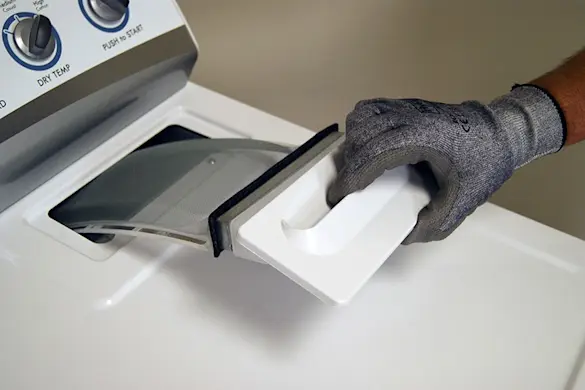
PHOTO: Remove the lint screen.
- 3. Remove the lint screen housing screws
Use a Phillips screwdriver to remove the 2 screws that secure the lint screen housing to the top panel.
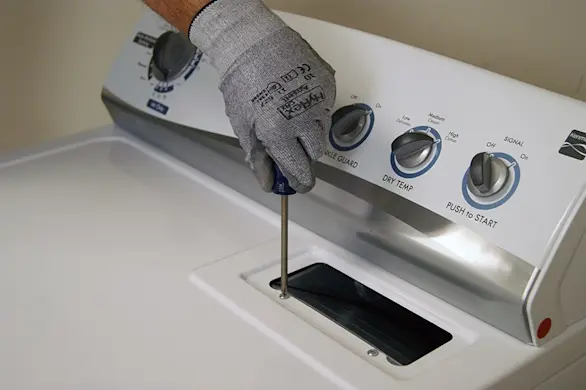
PHOTO: Remove the lint screen housing screws.
- 4. Raise the top panel
To release the clips that lock the top of the dryer in place, push a putty knife under the lid near the left and right edges of the front of the dryer. Lift the top and prop it securely against the wall behind the dryer.
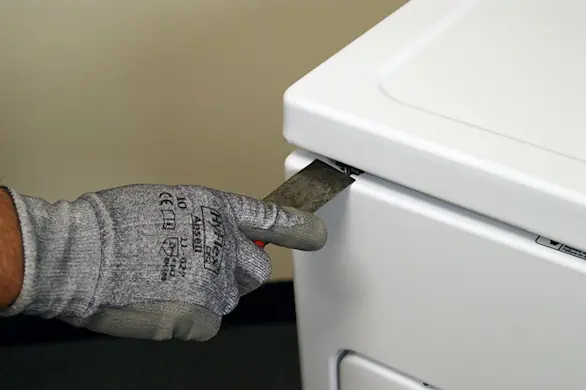
PHOTO: Release the panel locking clips. 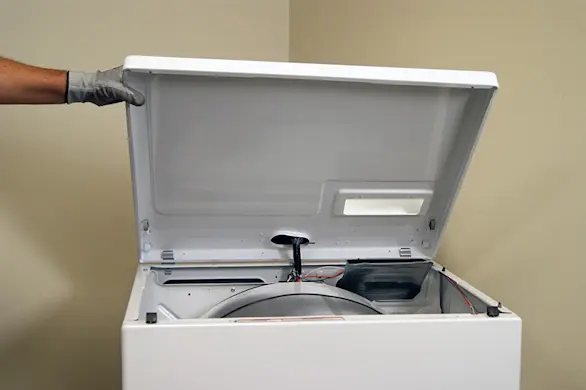
PHOTO: Lift the top panel.
- 5. Disconnect the door switch wire harness
Use a slot screwdriver to release the locking tab on the wire harness plug for the door switch. Disconnect the wire harness.
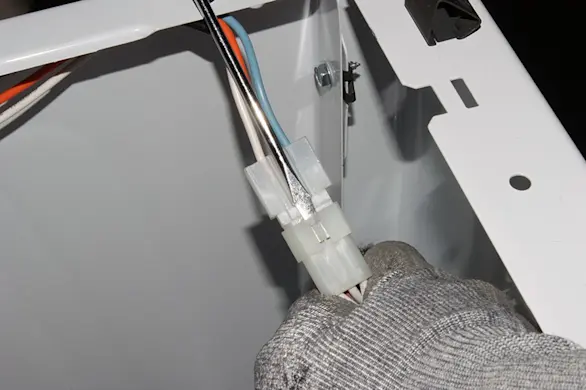
PHOTO: Release the locking tab on the door switch wire harness plug. 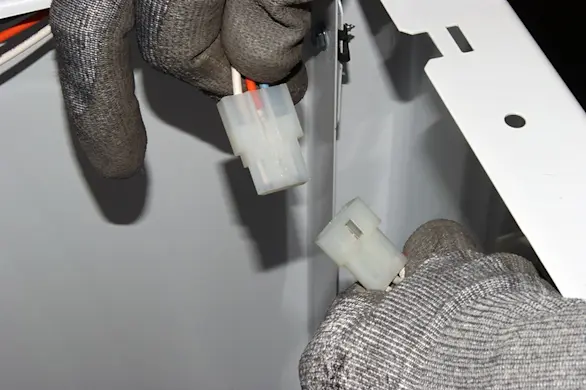
PHOTO: Disconnect the wire harness for the door switch.
- 6. Remove the door switch
Remove the mounting screws from the existing door switch. Pull the door switch out of the dryer and set it aside for disposal.
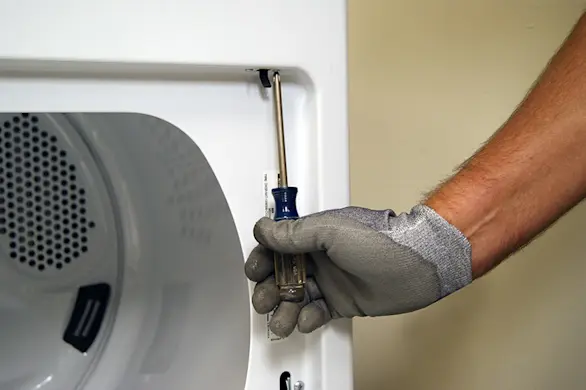
PHOTO: Remove the door switch mounting screws. 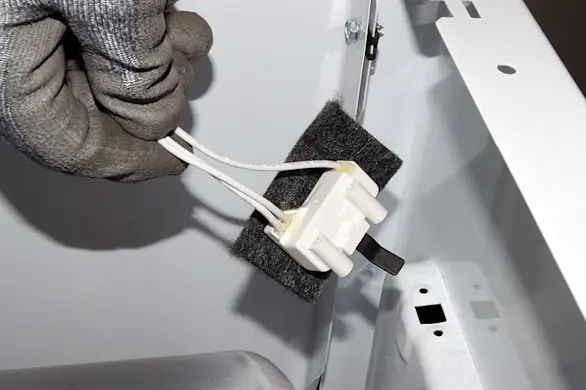
PHOTO: Remove the door switch.
- 7. Install the new door switch
Insert the new door switch and secure it with the mounting screws.
- 8. Connect the wire harness
Plug the wire harness for the new switch into the connection plug. Make sure the locking tab engages.
- 9. Reassemble the dryer
Lower the top panel and snap it into place. Reinstall the screws in the lint duct housing and reinstall the lint screen.
- 10. Restore power to the dryer
Plug the dryer into the wall outlet. If it's a gas dryer, turn on the gas supply to the dryer.