- Kenmore refrigerator water filters
- Whirlpool refrigerator water filters
- Samsung refrigerator water filters
- GE refrigerator water filters
- LG refrigerator water filters
- Frigidaire refrigerator water filters
- KitchenAid refrigerator water filters
- Maytag refrigerator water filters
- Kenmore Elite refrigerator water filters
- Estate refrigerator water filters
- GE Profile refrigerator water filters
- Amana refrigerator water filters
- Bosch refrigerator water filters
- Dacor refrigerator water filters
- Electrolux refrigerator water filters
Top DIY repair help
View All Repair Categories
Appliances
Lawn & Garden
Power Tools
Home Improvement
Sports & Leisure
Heating & Cooling
Quick Links
How to replace a flame sensor in a gas dryer
less than a minute readApr 05Lyle Weischwill
Repair time and Difficulty
30 minutes or less
Tools Required
- Nut driver set
- Phillips screwdriver
- Putty knife
- Slot screwdriver
- Wrench set
- Vacuum cleaner or shop vac
- Work gloves
This DIY dryer repair guide explains how to replace the flame sensor on a gas dryer. Located on the burner funnel, the flame sensor detects the igniter temperature. When the igniter is hot enough to light the gas burner, the flame sensor shuts off the igniter, the coils open the gas valves, and the burner ignites. If the flame sensor fails, it won't shut off the igniter, gas won't flow to the burner, and the dryer won't heat. You can determine if the flame sensor is faulty by following the troubleshooting tips in our Gas Dryer Won't Heat Troubleshooting Video. Replace a failed flame sensor with the manufacturer-approved dryer part.
This procedure works for Kenmore, Whirlpool, Maytag, Amana, Roper, Crosley and Estate gas dryers with a lint screen housing located in the top cabinet panel. Although the procedure for opening the dryer cabinet differs, you also can use the same basic repair steps to replace the flame sensor in Frigidaire, GE and Electrolux models.
Instructions
- 1. Shut off the power and gas supply
Unplug the dryer to disconnect electrical power. Shut off the gas supply to the dryer.
Wear work gloves to protect your hands.
- 2. Raise the cabinet top
Pull the lint screen out of the housing in the top panel of the dryer.
Use a Phillips screwdriver to remove the 2 screws that secure the lint screen housing to the top panel.
To release the clips that lock the top of the dryer in place, push a putty knife under the lid near the left and right edges of the front of the dryer.
Lift the top and prop it securely against the wall behind the dryer.
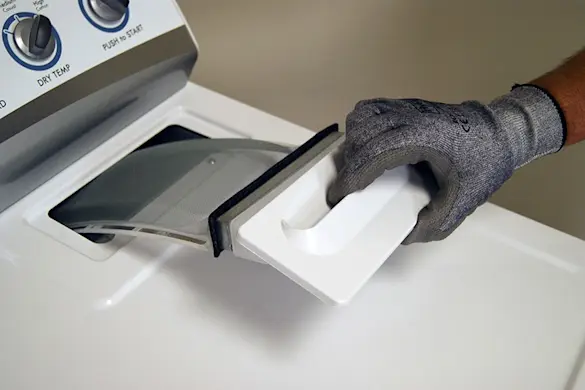
PHOTO: Remove the lint screen. 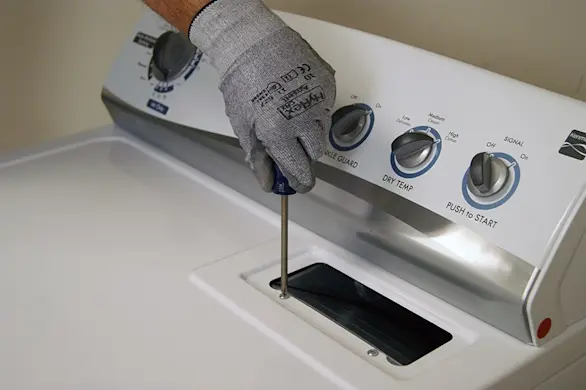
PHOTO: Remove the lint screen housing screws. 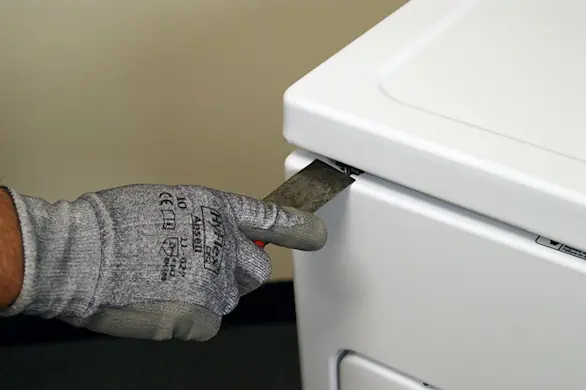
PHOTO: Release the panel locking clips. 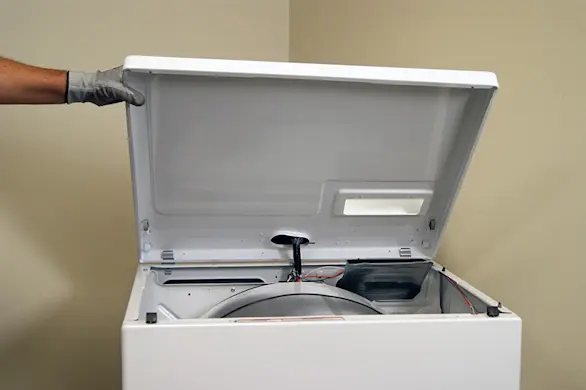
PHOTO: Lift the top panel.
- 3. Remove the front panel
Use a slot screwdriver to release the locking tab on the wire harness plug for the door switch. Disconnect the wire harness.
Use a 5/16-inch nut driver to remove the front panel mounting screws from the inside of the cabinet.
Pull the front panel forward slightly, and then lift and unhook it from the 2 bottom hangers.
Pull the front panel off of the dryer and set it aside.
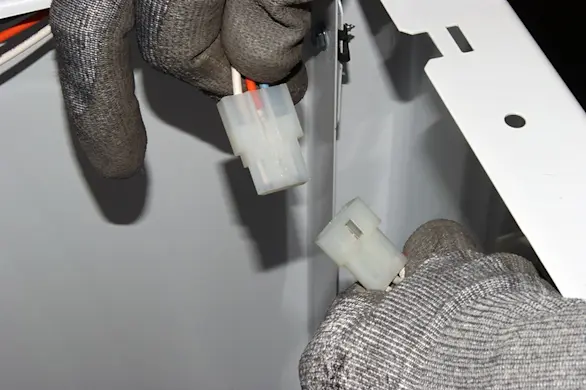
PHOTO: Disconnect the wire harness for the door switch. 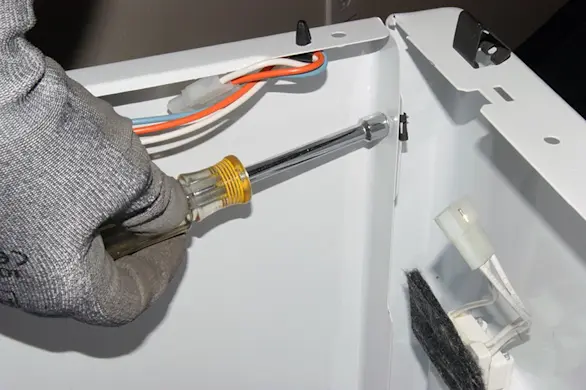
PHOTO: Remove the front panel mounting screws. 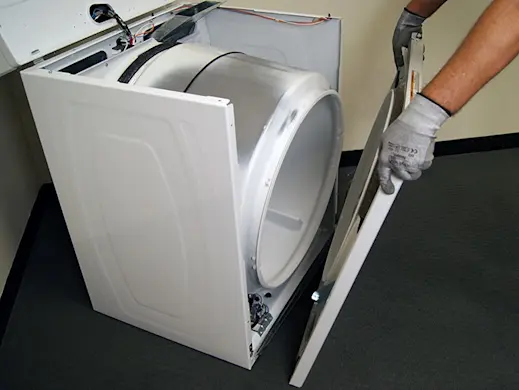
PHOTO: Remove the front panel.
- 4. Remove the drum
Note the configuration of the belt on the idler pulley and the motor pulley before removing it—take a digital picture of it so you know how to reinstall it.
Push the idler pulley to the right to release tension on the drive belt.
Pull the drive belt off of the idler pulley and the motor pulley.
Pull the drum out of the dryer and set it aside.
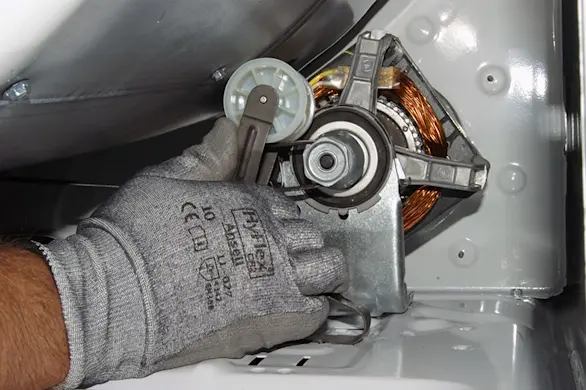
PHOTO: Release the drive belt. 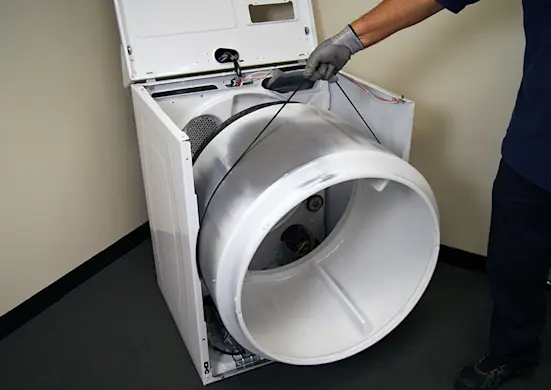
PHOTO: Remove the drum. Tip: Use the drive belt that you just released from the pulleys to lift the drum up and out of the dryer cabinet.
- 5. Remove the flame sensor
Disconnect the wires from the flame sensor.
Remove the mounting screw and pull out the flame sensor.
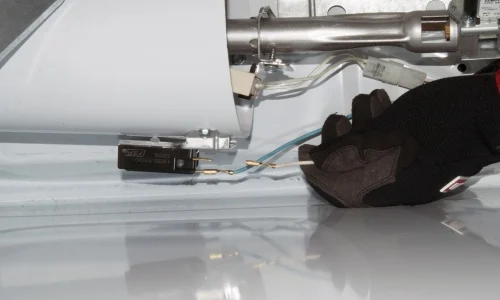
PHOTO: Disconnect the wires. 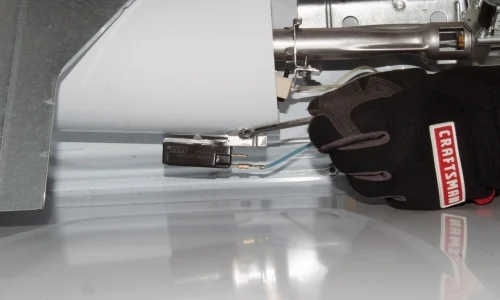
PHOTO: Remove the mounting screw. 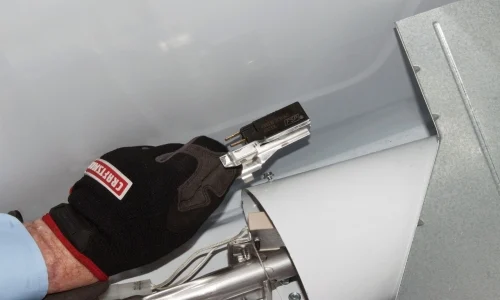
PHOTO: Remove the flame sensor.
- 6. Install the new flame sensor
Position the new flame sensor on the burner funnel and reinstall the mounting screw.
Connect the wires to the new flame sensor.
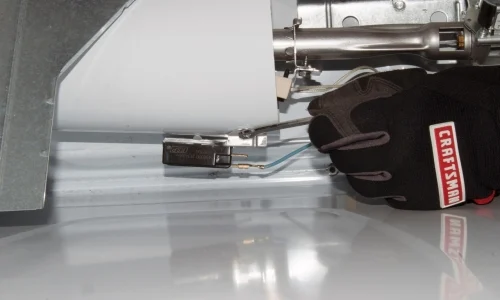
PHOTO: Reinstall the flame sensor mounting screw. 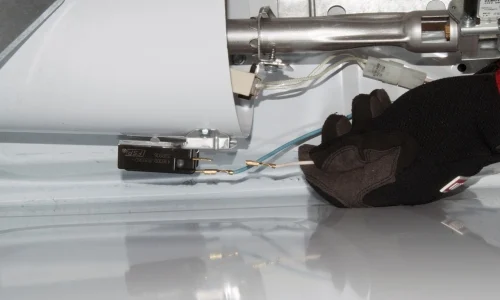
PHOTO: Connect the flame sensor wires. Tip: While the cabinet is open, vacuum the dust and lint from inside the dryer cabinet.
- 7. Reinstall the drum
Place the rear of the drum on top of the support roller that's on the rear panel inside the dryer cabinet.
Lift the front of the drum to access the drive motor and idler pulley. Referring to the digital picture of the configuration, thread the drive belt through the idler pulley.
Push the idler pulley to the right and loop the drive belt over the motor pulley.
- 8. Reinstall the front panel
Position the front panel on the hangers at the bottom of the cabinet.
Line up the mounting holes and reinstall the screws in the top of the front panel to secure it to the dryer cabinet.
Plug the wire harness back into the plug on the door switch. Make sure the locking tab engages properly.
- 9. Reassemble the top panel
Lower the top panel and snap it into place.
Reinstall the screws in the lint duct housing and reinstall the lint screen.
- 10. Restore power and the gas supply
Plug the dryer into the wall outlet. Turn on the gas supply to the dryer.