- Kenmore refrigerator water filters
- Whirlpool refrigerator water filters
- Samsung refrigerator water filters
- GE refrigerator water filters
- LG refrigerator water filters
- Frigidaire refrigerator water filters
- KitchenAid refrigerator water filters
- Maytag refrigerator water filters
- Kenmore Elite refrigerator water filters
- Estate refrigerator water filters
- GE Profile refrigerator water filters
- Amana refrigerator water filters
- Bosch refrigerator water filters
- Dacor refrigerator water filters
- Electrolux refrigerator water filters
Top DIY repair help
View All Repair Categories
Appliances
Lawn & Garden
Power Tools
Home Improvement
Sports & Leisure
Heating & Cooling
Quick Links
How to replace a window air conditioner user interface control board
less than a minute readFeb 19Lyle Weischwill
Repair time and Difficulty
30 minutes or less
Tools Required
- Phillips screwdriver
- Work gloves
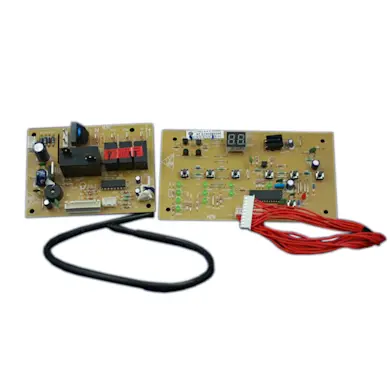
This step-by-step repair guide explains how to replace the user interface control board in a window air conditioner. Located in the control panel, the user interface control board displays the settings and sends signals to the electronic control board to activate components when you push the buttons. If the display won't light up or if the control panel won't respond when you select a button, replace the user interface control board with the manufacturer-approved window air conditioner part.
The steps in this repair guide will help you replace the user interface control board in Kenmore, Frigidaire, GE, LG and Crosley window air conditioners.
Instructions
- 1. Disconnect electrical power
Unplug the power cord from the wall outlet.
- 2. Remove the front grille panel and filter
Grasp the sides of the front grille panel at the top and pull the panel out and off of the air conditioner.
Pull the filter out.
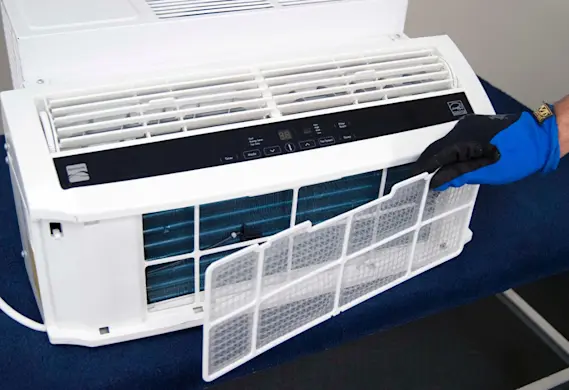
PHOTO: Remove the air filter. Tip: Take this opportunity to clean the air filter if necessary.
- 3. Remove the control panel
Remove the screws from the sides and bottom of the control panel.
Pull the control panel up and hold it above the air conditioner. Unplug the wire harness connection for the user interface control board.
Set the control panel face down on a padded work surface.
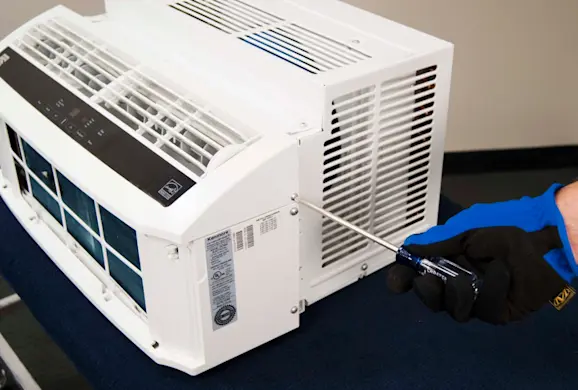
PHOTO: Remove the screws from the sides of the control panel. 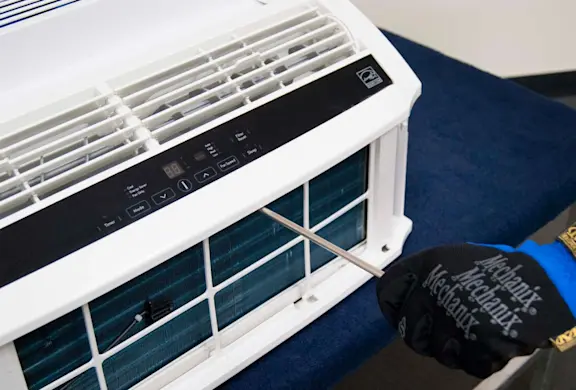
PHOTO: Remove the screws from under the control panel. 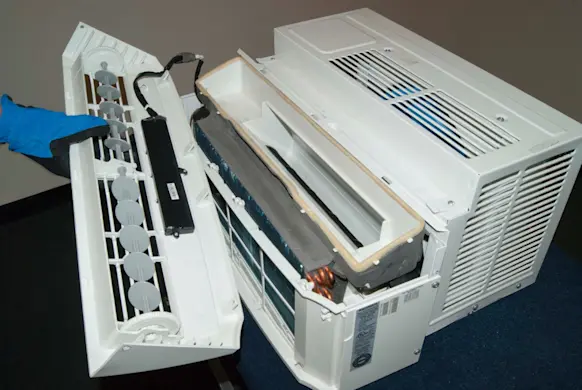
PHOTO: Pull the control panel up and hold above the air conditioner.
- 4. Remove the user interface control board
Remove the screws in the sides of the user interface control case and open the case.
Remove mounting screws from the user interface control board.
Pull the user interface control board out of the case and release the wire harness from the molded plastic retainers on the control panel.
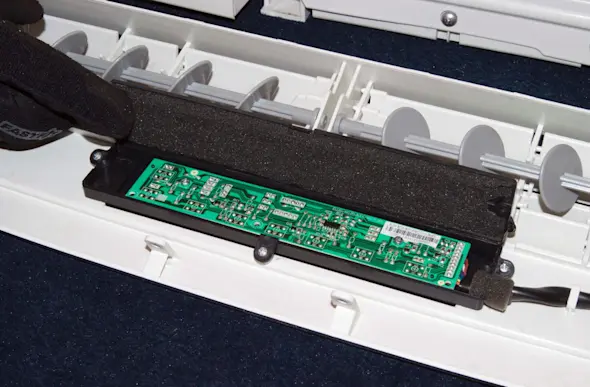
PHOTO: Open the case. 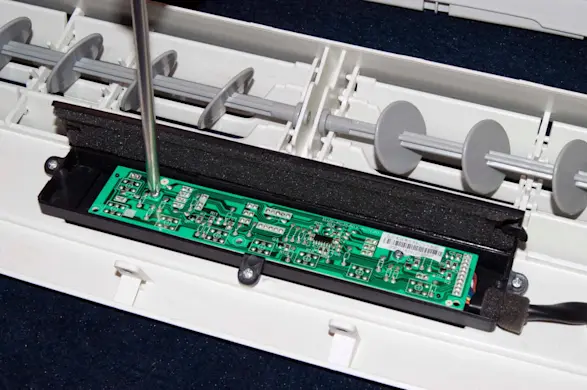
PHOTO: Remove the mounting screws. PHOTO: Remove the user interface control board.
- 5. Install the new user interface control board
Insert the user interface control board in the case and reinstall the mounting screws.
Route the wire harness through the molded plastic retainers on the control panel.
Close the case and reinstall the screws on the sides of the case.
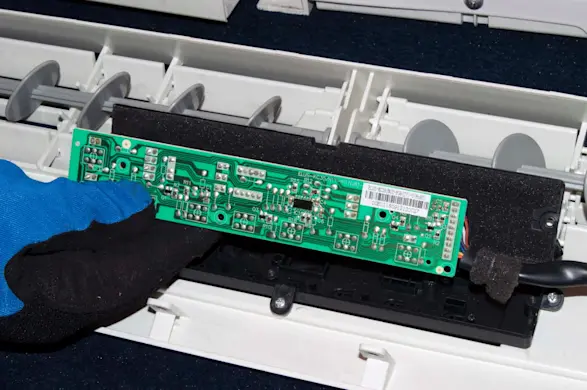
PHOTO: Install the new user interface control board. 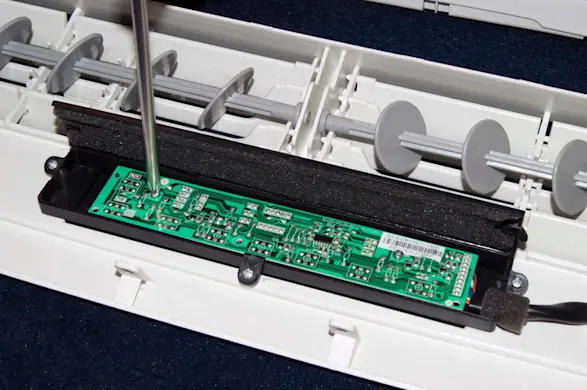
PHOTO: Reinstall the user interface mounting screws. 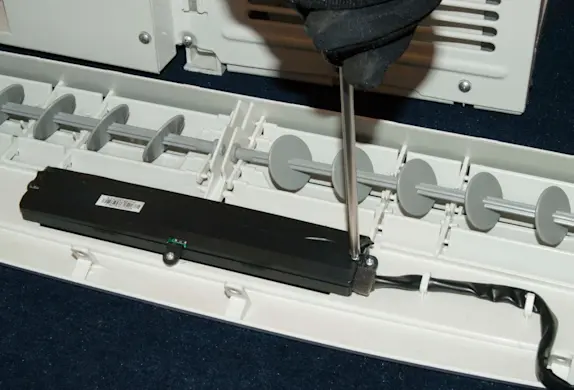
PHOTO: Reinstall the screws in the case.
- 6. Reinstall the control panel
Position the control panel above the air conditioner and plug the user interface control wire harness back in.
Position the control panel on the front of the air conditioner and reinstall the mounting screws in the control panel.
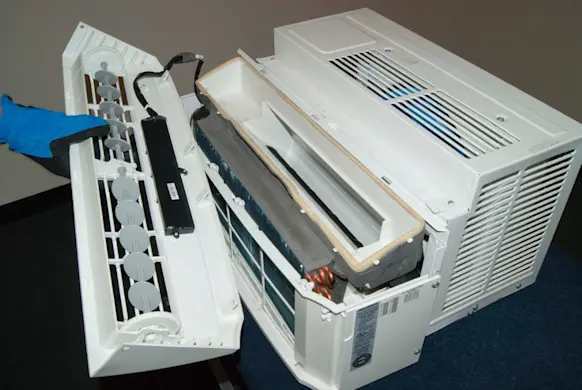
PHOTO: Reinstall the control panel. 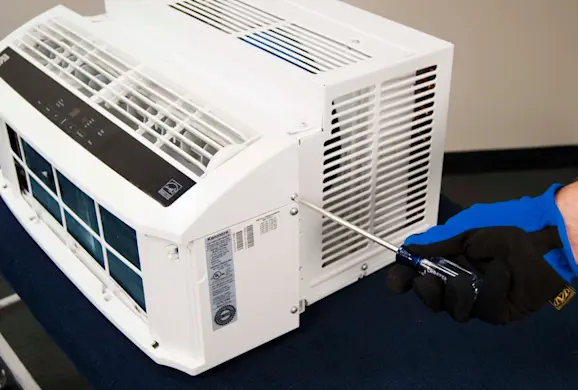
PHOTO: Reinstall the control panel mounting screws.
- 7. Reinstall the front grille panel and filter
Insert the filter on the front of the air conditioner.
Position the front grille panel on the front of the air conditioner and snap the front grille panel into place.
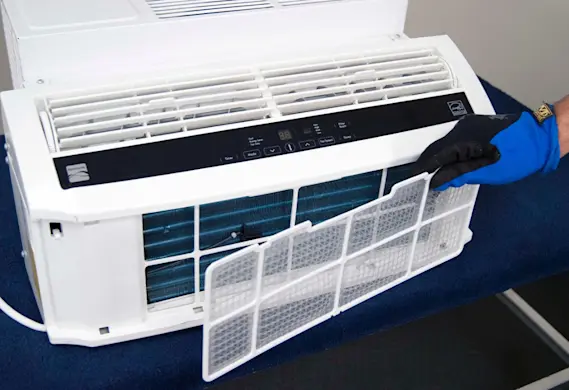
PHOTO: Reinstall the filter.
- 8. Restore the power
Plug the air conditioner into the electrical outlet.