- Kenmore refrigerator water filters
- Whirlpool refrigerator water filters
- Samsung refrigerator water filters
- GE refrigerator water filters
- LG refrigerator water filters
- Frigidaire refrigerator water filters
- KitchenAid refrigerator water filters
- Maytag refrigerator water filters
- Kenmore Elite refrigerator water filters
- Estate refrigerator water filters
- GE Profile refrigerator water filters
- Amana refrigerator water filters
- Bosch refrigerator water filters
- Dacor refrigerator water filters
- Electrolux refrigerator water filters
Top DIY repair help
View All Repair Categories
Appliances
Lawn & Garden
Power Tools
Home Improvement
Sports & Leisure
Heating & Cooling
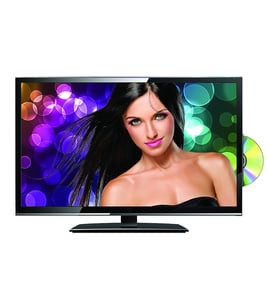
Panasonic Lcd television Parts — Browse All Models
Panasonic is a leading manufacturer of LCD televisions in the United States. Panasonic LCD televisions are known for top performance in video reproduction. When your Panasonic television goes out, you'll want to fix it fast. Find the Panasonic repair parts you need to fix any television failure at Sears PartsDirect.
Browse by Category
LCD Televisions

 Owner’s manual
Frequently bought Panasonic parts
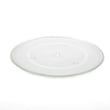
Panasonic Cook Tray
In Stock
$48.77
11% OFF Phone Price : $54.77

Qty

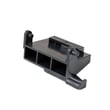
Panasonic Open Lever
Part #F82565X00AP
This item is not returnable
In Stock
$35.03
Qty
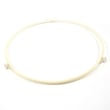
Panasonic Roller
In Stock
$17.89
10% OFF Phone Price : $19.89
Qty
Panasonic Cover
Part #F20555K00AP
This item is not returnable
In Stock
$12.90
13% OFF Phone Price : $14.90
Qty
Panasonic Panasonic Sensor
In Stock
$61.47
Qty
Panasonic Motor
In Stock
$37.49
14% OFF Phone Price : $43.49
Qty
Popular maintenance items for LCD Televisions

Ic Memory
In Stock
$55.81
Qty
Television Power Cord
In Stock
$10.49
Qty
Resistor
Part #124588811
This item is not returnable
In Stock
$3.81
Qty
Ic Reg
In Stock
$31.86
Qty
Diode
Part #650173401
This item is not returnable
In Stock
$4.51
Qty
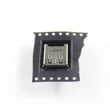
Usb Jack
In Stock
$33.23
Qty
Connecting your Panasonic LCD television to a Wi-Fi network
To connect your television to the Wi-Fi network using Wi-Fi Protected Setup (WPS) button, go to the Network Setup menu and select Wireless Setup. Select the WPS method of Wi-Fi connection from the Wireless Setup menu. Start the WPS wireless setup method on your television then pus the WPS button on your Wi-Fi router to connection your television to the Wi-Fi network.To connect your television to the Wi-Fi network using the router password, follow the same steps as described above to reach the Wireless Setup menu on your television. Select the Scan for available Wi-Fi networks option. Select your Wi-Fi network from the list of available Wi-Fi networks and enter the router password to connect the television to your Wi-Fi router.
Troubleshooting your Panasonic LCD television when it won't power up
- Unplug the television and check the power cord connection on the back of the cabinet. Reconnect the power cord if it's disconnected. Replace the power cord if you see that it's damaged.
- Next, check the electrical outlet for power. Reset the house breaker for the electrical outlet if the outlet is dead. Plug the television into a different outlet if possible.
- If these troubleshooting tips don't help, then you may need to replace the power control board in the television.
Parts & More
Compact Refrigerator
Electric Chainsaw
Freestanding Freezer
Gas Range
Parts
Pressure Washer
Rear-Engine Riding Mower
Riding Mowers & Tractors
Sewing Machine
Small Appliance
Snow Blade
Table Saw